gato
A native macOS terminal.
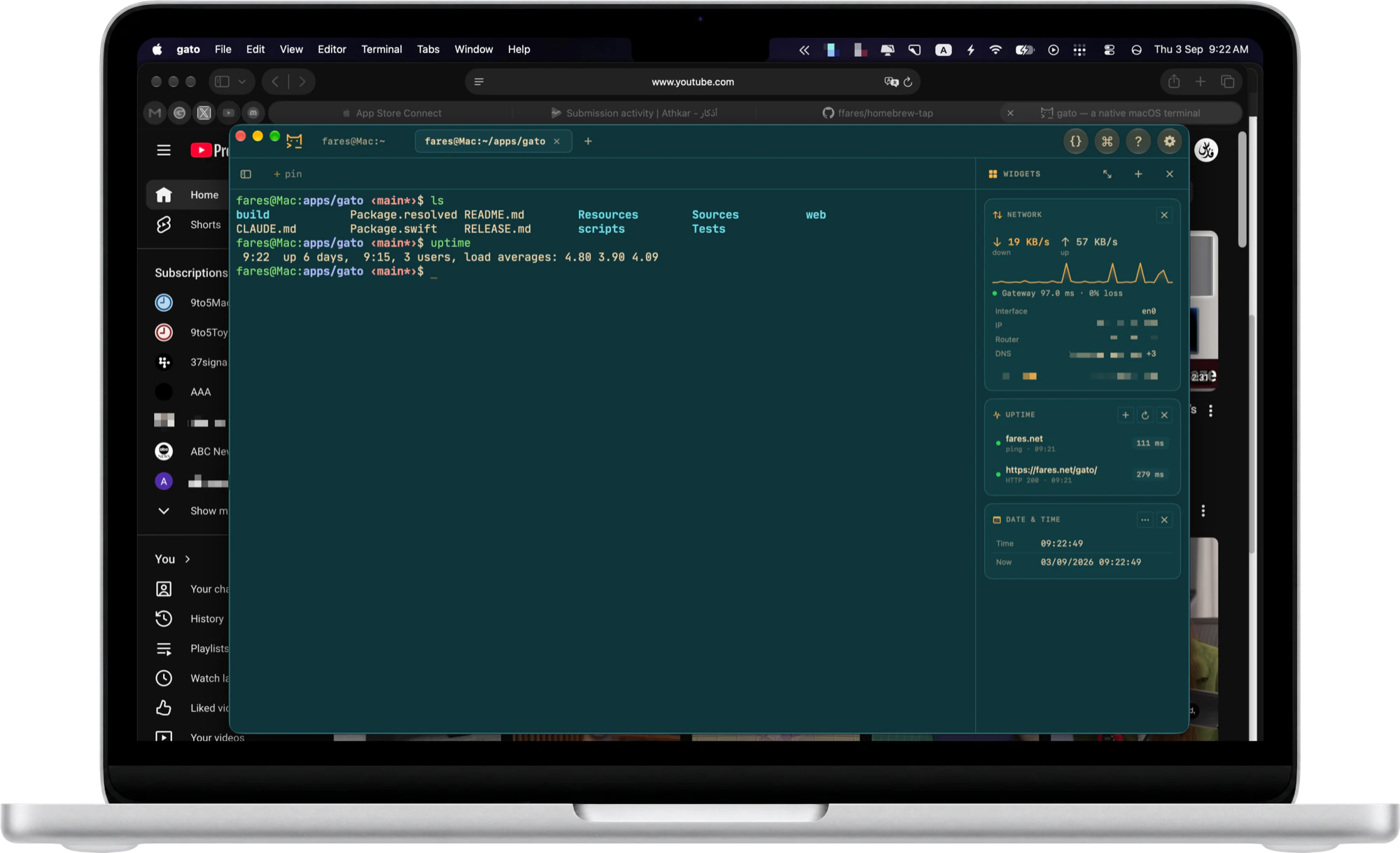
For the shell and for SSH. Your servers' files, a command palette and a panel of small tools, all in the one window.
Version 1.0.16 · Free · macOS 26 or later · Apple Silicon
$ brew install --cask ffares/tap/gato
0 accounts
0 trackers
0 subscriptions
27 themes, dark and light
What it does
The whole job in one window
Built around SSH
Save a login, open it in a click. Browse and edit its files over the connection the tab already has.
One key away
⌘P searches pinned commands, logins, open tabs and every action. The mouse is optional.
Knows your commands
Times each one, tells you when a long one finishes, copies the last output or hands it over as a picture.
The side panel
Add what you need, fold the rest
Server Stats
Services
Certificates
Git
Docker
Ports in Use
Speed Test
Network
Wi-Fi
Connection
This Mac
Projects
Agents
Allowance
Converter
Clipboard
Images
Now Playing
World Clocks
Date & Time
Timer
Quick Notes
Free, and quiet
Nothing about you leaves the machine
- No account, no subscription. Download it and it works.
- No telemetry. Nothing is uploaded, nothing pings home.
- No secrets on disk. Anything secret comes from your own secrets manager, or the Keychain, at the moment it is needed.